
EaseUS Todo PCTrans Pro & Technician Review (2026): Is It Worth It?
Move Installed Apps, Adobe/Office Licenses, Games & User Accounts to a New Windows 11 PC
 ★ 9.5 / 10 Editorial Pick
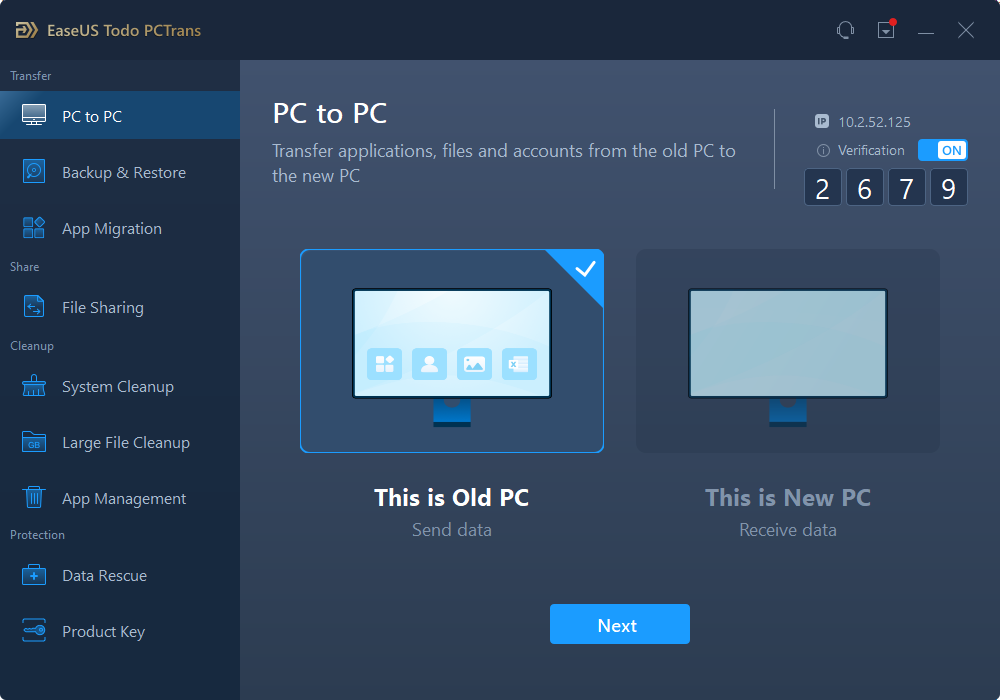
EaseUS Todo PCTrans Pro transfers installed desktop programs, Microsoft Office/Adobe product keys, browser profiles, and Steam/Epic games directly from an old PC (or dead PC hard drive) to a new Windows 11 machine.
Bottom Line: EaseUS Todo PCTrans Pro & Technician scores 9.5/10 in our 2026 comparison as a top choice for anyone upgrading to a new windows 11 laptop/desktop or it shops migrating multiple client pcs. Compared against Laplink PCmover and Manual USB Copy, its standout edge is: Saves 6–10 hours of manual reinstalling on every new PC purchase.
EaseUS Todo PCTrans Pro & Technician Product & Interface Showcase
Click any thumbnail below to inspect official product angles, architecture diagrams, and live workflow views.
EaseUS Todo PCTrans Pro & Technician vs. Laplink PCmover vs. Manual USB Copy
How does EaseUS Todo PCTrans Pro & Technician stack up against the two most common alternatives buyers consider?
| Evaluation Criteria | EaseUS Todo PCTrans Pro & Technician ★ | Laplink PCmover | Manual USB Copy |
|---|---|---|---|
| Installed Apps + License Key Migration | 1-Click LAN / Disk Rescue | Limited / Add-on | Manual / Subscription |
| Money-Back Guarantee | 30-Day Official Refund | 7–14 Days | Varies |
Key Capabilities That Stand Out
- Migrates installed applications + registry settings so you never hunt for old installers
- Built-in Product Key Scanner extracts Windows, Office & Adobe serial numbers automatically
- Dead-PC Data Rescue pulls programs and files straight from an unbootable old drive
What We Like (Pros)
- + Saves 6–10 hours of manual reinstalling on every new PC purchase
- + Supports Wi-Fi LAN direct transfer, image file, or cable
Trade-Offs to Know (Cons)
- − Windows-to-Windows only (does not cross-compile Windows .exe apps onto macOS)
Frequently Asked Questions
Is EaseUS Todo PCTrans Pro & Technician safe and backed by an official refund policy?
Yes—purchases route directly through EaseUS official checkout via CJ Affiliate with a 30-day money-back guarantee and 24/7 technical support.