
Generated video9:16
AI social content workspace
Turn one idea into platform-ready content.
Create videos, visuals, captions, and content variations for TikTok, Instagram, YouTube Shorts, and more — all from one creative workspace.
No credit card required. Start with your first content workflow.
AI-generated
Platform-ready posts04 ready
From a creative brief to every feed.
Combine a short brief with product and creator references. Pavoflow turns them into a finished social video, ready to adapt for every channel you reach.
Prompt + references
Creative prompt
“Create an 8.5-second creator-style demo for this playful frog sleep mask.”
[Camera] Mid-shot selfie → facial close-up. Keep the camera stable, capturing the eyelids in action.
[Lighting] Even, soft indoor daylight — bright but not glaring, so texture and skin tone read naturally.
[Shot 1 · 0.0–3.5s] A girl sits upright on a bed in the frog sleep mask, sharing it with ease.
[VO] “Guys, this is literally the funniest sleep mask I’ve ever bought.”
[Shot 2 · 3.5–8.5s] Close-up: she pinches the frog eyelids in succession, showing the squishable design.

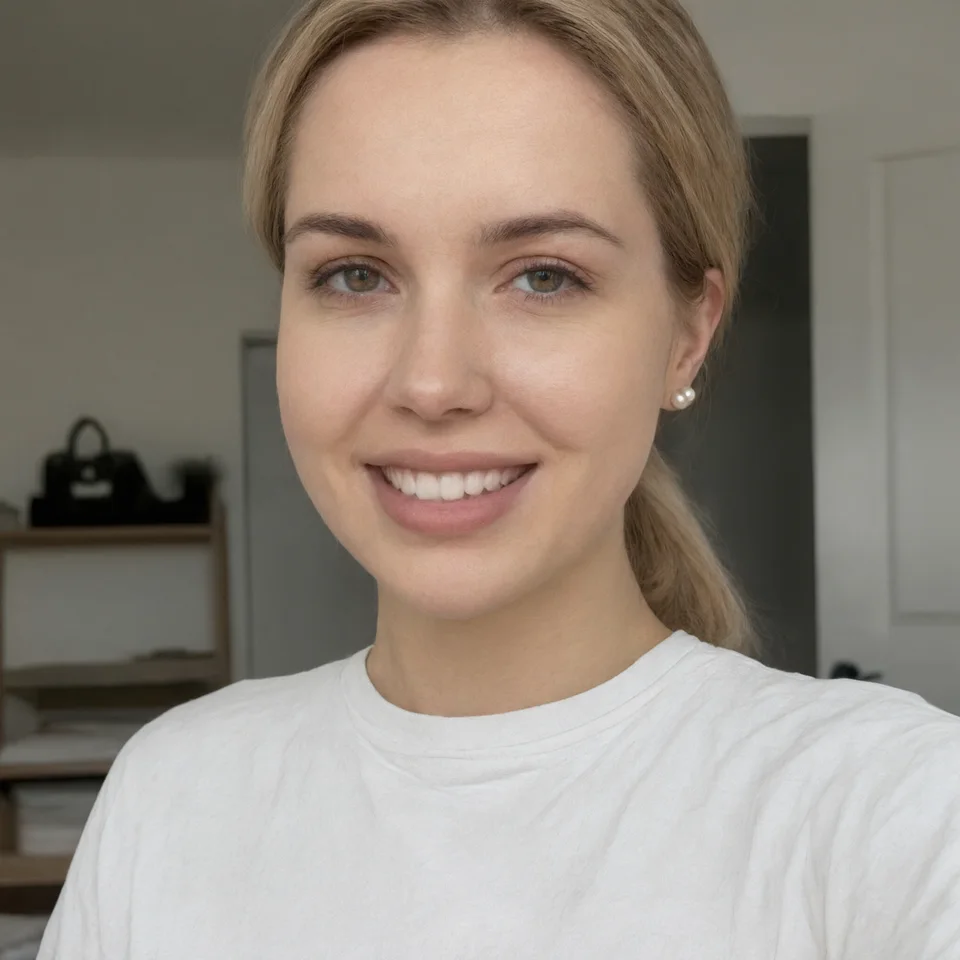
Pavoflow creates
Ready for your channels











Publishing capabilities depend on the connected channel. Review generated content before moving it into your publishing workflow.
One product. A whole campaign.
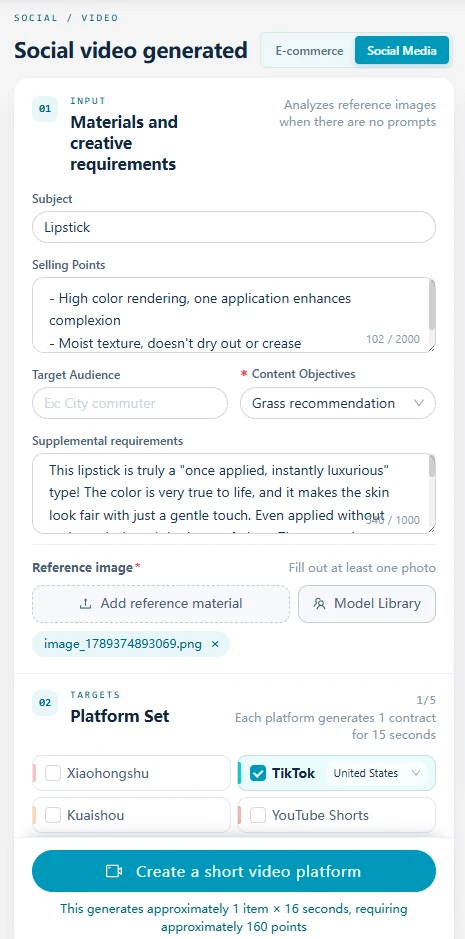
Product brief

01Product brief
Good content starts with a clear brief.
Add your product, audience, and selling points. Every output starts from the same creative direction.
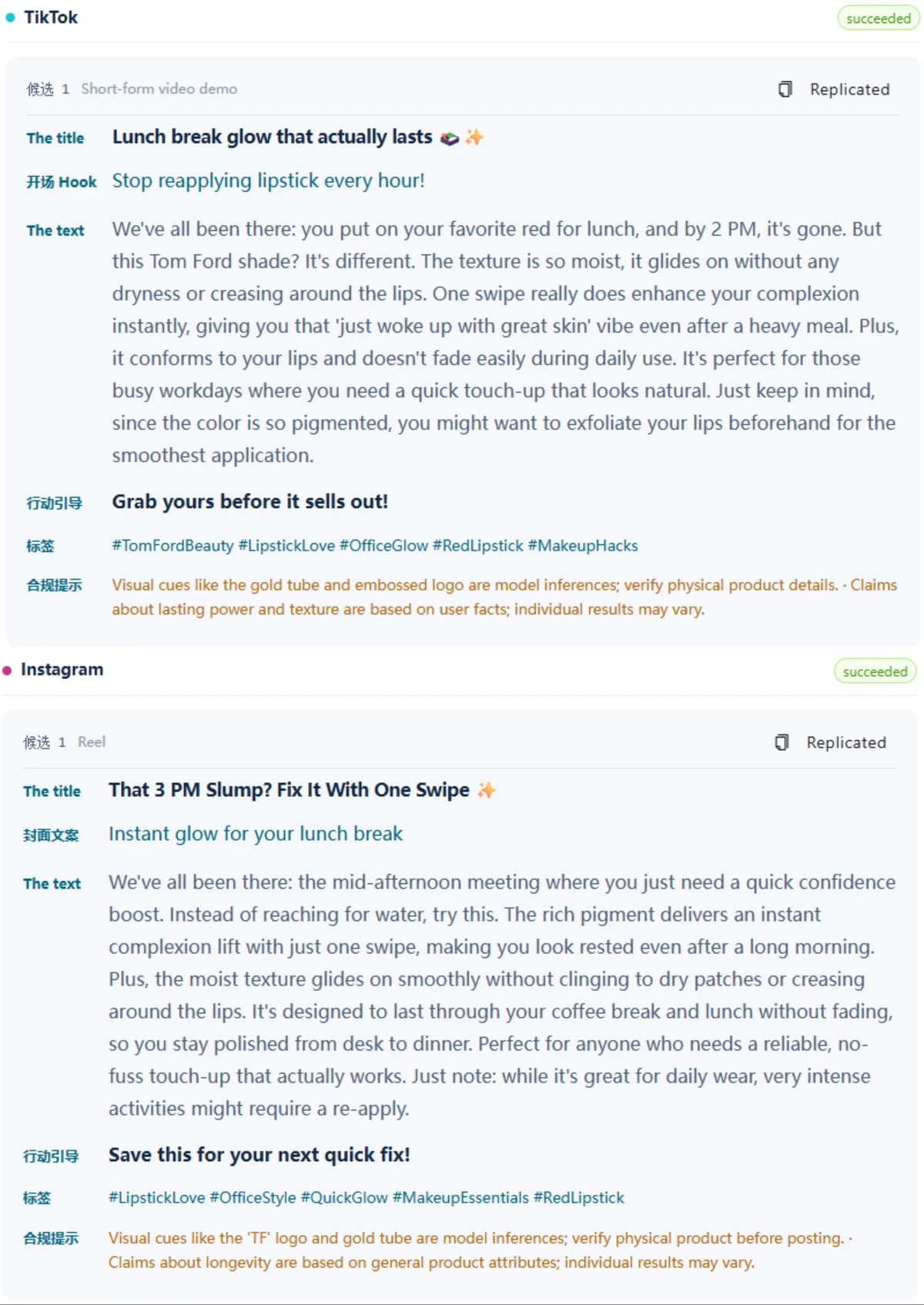
02Short-form video
Make your product the story.
Turn your brief into a vertical demo with an opening hook, product moments, and a clear call to action.
03Platform-ready copy
Same idea. Each channel’s voice.
Get channel-specific hooks, captions, and calls to action, with product claims flagged for your review.
04Campaign visuals
A campaign with a consistent look.
Explore an ad, a cover, a product scene, and a comparison. Pick a thumbnail in the stage to see every detail.
A complete creative workflow
From blank page to ready-to-review content.
One place to adapt your message, keep building, and polish every asset.
Write in every platform voice
Create captions, scripts, hooks, and CTAs that feel native to the audience you want to reach.
Create social copy →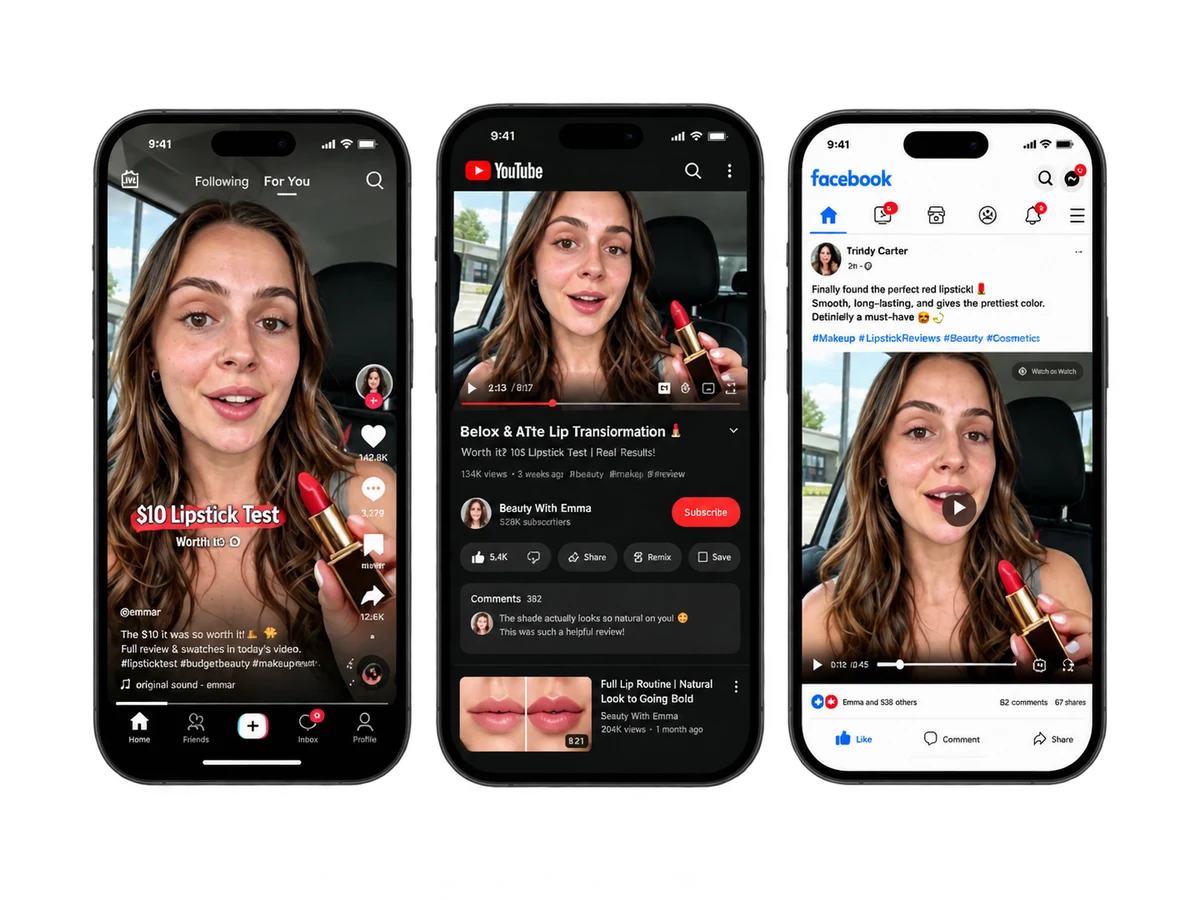
Build from one result
Connect prompts, edits, variations, and platform versions in a visual Infinite Canvas.
See the canvas →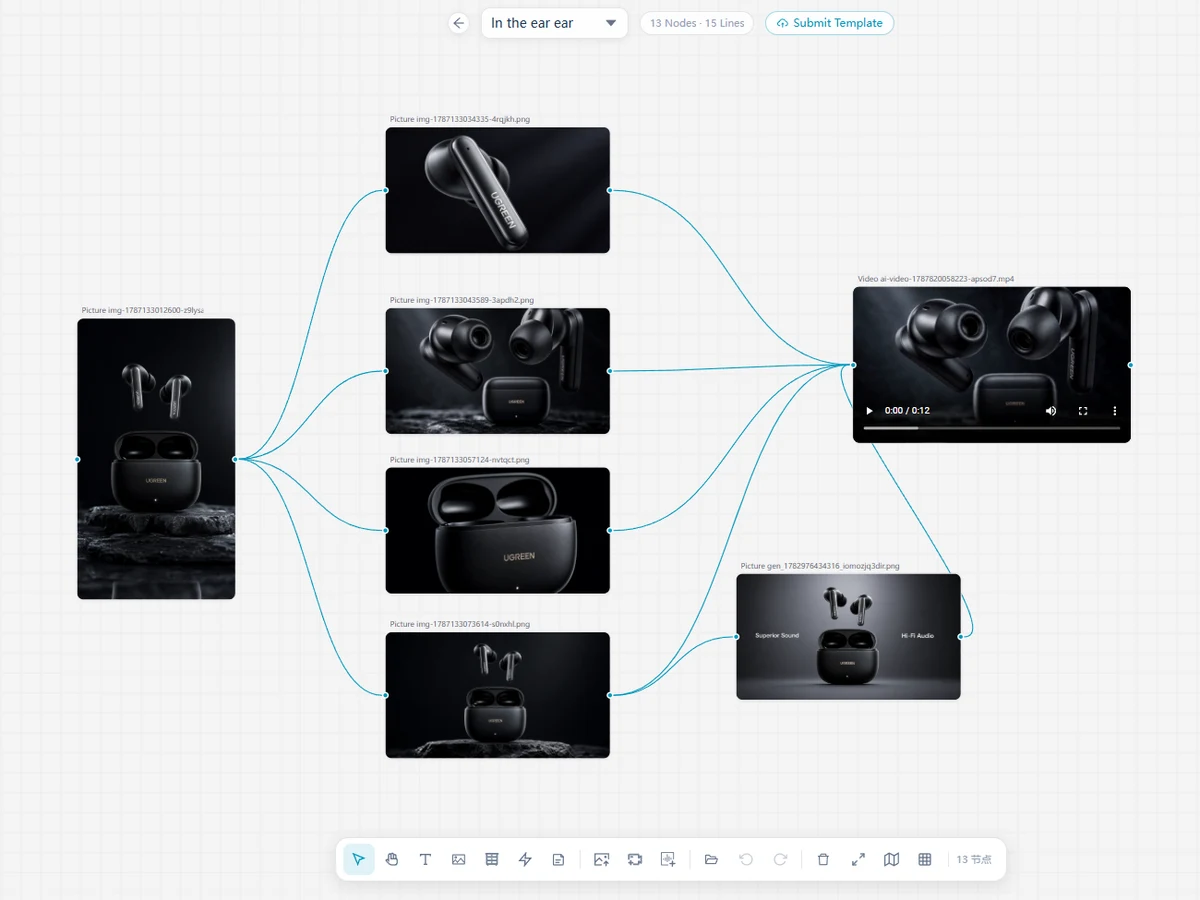
Remove watermarks
Clean unwanted watermarks from videos while preserving motion, detail, and the original framing.
Remove a watermark →Remove backgrounds
Separate subjects from video backgrounds and turn every cutout into a clean, reusable creative asset.
Remove a background →More than social content
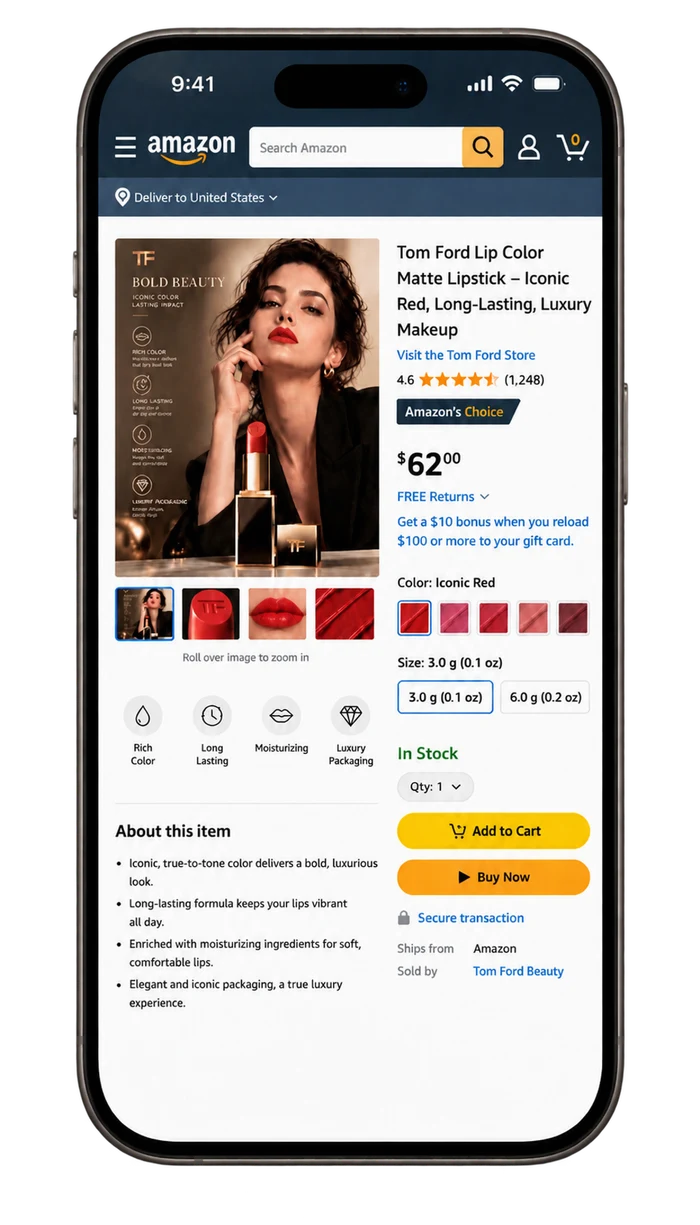
Turn one product brief into marketplace-ready images, listing copy, ad variations, and launch assets for Amazon, Temu, Shopee, AliExpress, and every place you sell.
- Marketplace-ready product images
- White-background product shots
- Listing copy and bullet points
- A+ and detail page modules
- Ad and promo variations
- Launch sets for every storefront








Infinite Canvas + AI Agent
Keep every idea moving forward.
Start with a brief. Follow the thread. Turn every generated result into the next piece of content without losing your context.
- Connect source assets, prompts, edits, and outputs
- Ask the AI Agent to expand a campaign or change the angle
- Create versions for each platform before you publish
Pavoflow / Infinite Canvas
Built for the people behind the feed
Make your next content sprint feel lighter.
For creators
Turn your ideas into consistent content without losing your voice or your momentum.
For social teams
Build campaign variations, keep brand voice consistent, and move from brief to calendar faster.
For modern brands
Turn product assets into social stories people can understand, save, and share.
Built with Pavoflow
Loved by builders, worldwide.
Real workflows, fewer handoffs, and more content ready for every channel.
“We drop one product brief into Pavoflow and get a week of TikTok, Reels, and Shorts ideas back. The team finally starts from the same source.”


“The Infinite Canvas keeps every prompt, edit, and generated asset connected. I can explore a new angle without losing the campaign context.”


“Pavoflow turns a rough idea into a hook, script, caption, and CTA that still sound native to each platform. That used to take our whole afternoon.”


“From product photos to social-ready scenes, the visual directions make it much easier to keep launches moving without rebuilding every asset.”

“Having platform-specific captions and hooks beside the video preview makes review fast. We know what ships before it reaches the calendar.”


“The same source asset can become a social post, a product scene, and a short-form video without losing the original product details.”

“The AI Agent is the teammate I was missing. I can ask it to expand a campaign, change the angle, and keep every output tied to the original brief.”

“We used to copy and paste between four tools. Now our product story, platform copy, and campaign visuals live in one reviewable workflow.”

“The workflow feels made for social teams: one brief, several channel-ready versions, and a clear place to review every claim before publishing.”

“Seeing the product brief, generated video, and social copy together is a better handoff than a folder full of disconnected exports.”

“Pavoflow makes repurposing feel intentional. The story stays consistent while the format, pacing, and CTA change for every feed.”

“It is the first content workspace that helps us go from idea to publish-ready without flattening the creative choices along the way.”

Simple, usage-based plans
More content, on your terms.
Choose the workspace and credit volume that matches how often you create. Start small, then scale as your content system grows.
See Plans & CreditsTransparent usage. No long-term lock-in.
MonthlyYearly (Save 20%)
Free
Try the full workflow before you pay anything.
$0/monthly
No card required
- 100 signup credits, valid for 7 days
- 480P video generation
- All image models
- Infinite Canvas + AI Agent
Starter
For solo creators shipping content every week.
$13.75/monthly
$0.46/day
- 1,050 credits per month
- 480P video generation
- All image models
- 50% off featured templates
Plus
For teams running several brands and channels.
$41.53/monthly
$1.38/day
- 3,600 credits per month
- 720P video generation
- All image models
- 50% off featured templates
Pro
For agencies and high-volume content operations.
$83.19/monthly
$2.77/day
- 7,500 credits per month
- 1080P video generation
- All image models
- 50% off featured templates
Credits are shared across image, video, and social workflows — the same credit balance applies to every plan.
Questions, answered
Everything you need before your first workflow.
Keep your content moving with a clear, reviewable process.
What can I create with Pavoflow?
Create short-form video concepts, social visuals, carousels, captions, hooks, scripts, product scenes, and platform-specific variations.
Can I create content for TikTok, Instagram, and Shorts?
Yes. Pavoflow is designed to help you adapt ideas and assets for the format, voice, and audience of each connected social channel.
Does Pavoflow publish content automatically?
Publishing capabilities depend on the connected channel. Review your generated content before moving it into your publishing workflow.
Do I need to review AI-generated content?
Yes. Always review product details, people, logos, offers, and platform-specific claims before publishing.
How do credits work?
Credits are used based on the AI actions you run. Failed or incomplete tasks should be handled according to the usage rules shown in your workspace.
Make your next idea go further.
Build your first social content workflow with Pavoflow AI and see how much more you can create from one starting point.
Start Creating Free